

Intercept
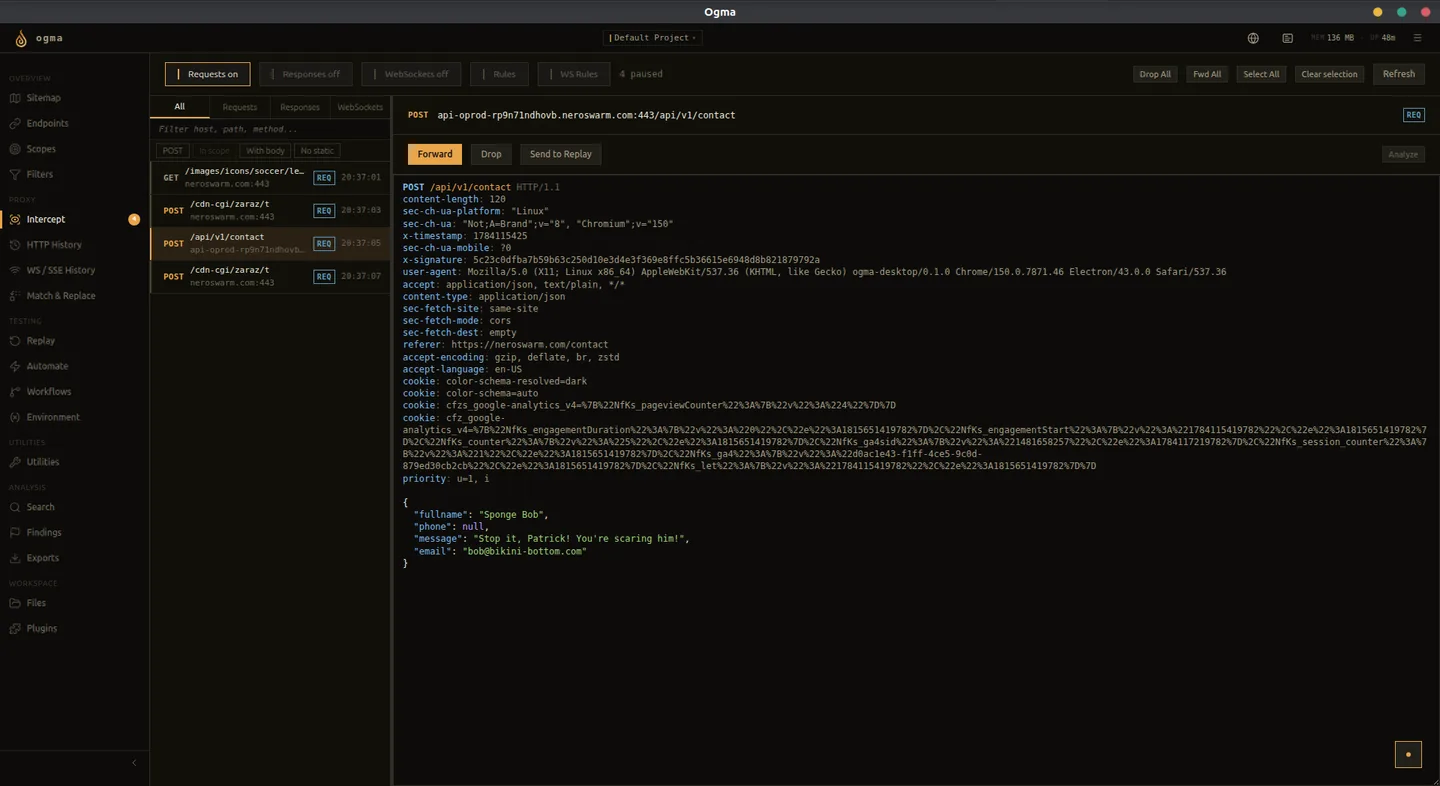
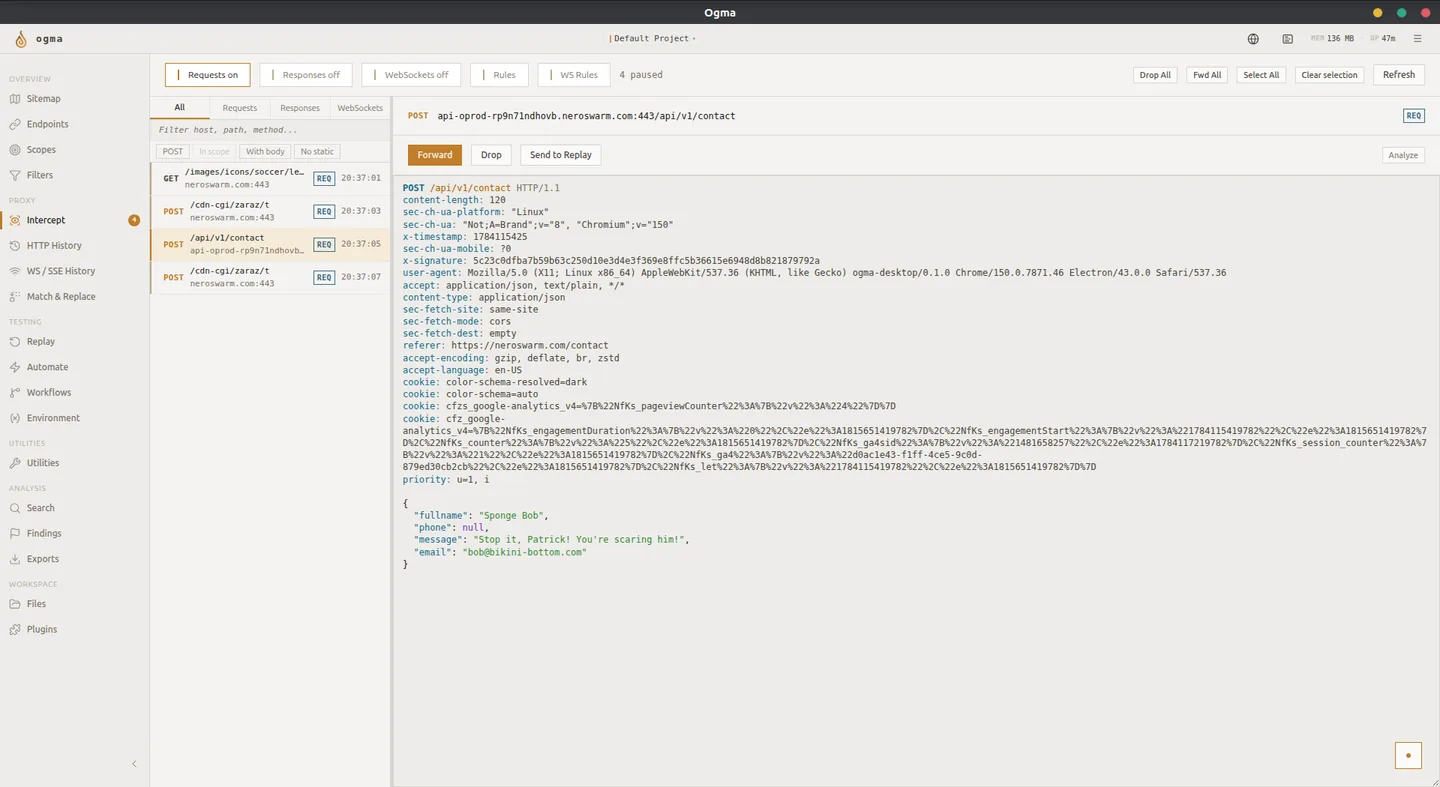
Intercept pauses traffic in the proxy queue before forwarding it, letting you read and edit each request or response manually.
Enabling and Disabling Intercept
Click the Intercept toggle at the top of the Intercept panel to turn it on or off. When on, matching traffic stops in the queue instead of passing through immediately. When off, all traffic forwards automatically without pausing.
Disable intercept when you are not actively reviewing traffic. Leaving it on with an unattended queue blocks browser requests and stalls the application under test.
The Intercept Queue
Each paused item appears as a row in the queue. Items queue in the order they arrive. Select any item to view and edit it in the raw editor.
While an item is selected you can:
- Edit the raw request directly in the editor.
- Click Forward to send it with your edits.
- Click Drop to discard the request entirely. The browser receives a connection error.
Editing in the Raw Editor
The raw editor shows the full HTTP request, including method, path, version, headers, and body. All fields are editable. Changes take effect when you click Forward.
Common edits during testing:
- Change a parameter value to test input handling.
- Remove or replace an authorization header to test access control.
- Modify a cookie value to test session handling.
- Swap a numeric ID to test for broken object-level authorization.
HTTP Intercept Rules
Without rules, intercept pauses every request. Rules limit the queue to traffic you actually want to review.
Create a rule by specifying one or more conditions:
| Field | Description |
|---|---|
| Host pattern | Match on hostname or a wildcard pattern |
| Path pattern | Match on URL path or a wildcard pattern |
| Method | Match on a specific HTTP method |
| Direction | Apply to requests, responses, or both |
All conditions in a rule must match for the rule to activate. If you add multiple rules, traffic matching any rule is intercepted.
WebSocket Intercept Rules
WebSocket rules work the same way but apply to WS frame traffic. Conditions available for WS rules:
| Field | Description |
|---|---|
| Host pattern | Match the WS connection hostname |
| Path pattern | Match the WS upgrade path |
| Message content | Match a substring in the frame payload |
| Opcode | Match frame type (text, binary, ping, pong, close) |
| Direction | Apply to client-to-server frames, server-to-client frames, or both |
Intercept vs. Match & Replace
Intercept and Match & Replace both modify traffic, but they work differently.
Intercept pauses traffic and waits for you to act. Use it when you need to decide per-request what change to make.
Match & Replace applies transformations automatically without pausing. Use it when the same change should apply to every matching request, without manual action each time.